Category · 22 products

Wireless Mice

Cut the cord without cutting performance. These mice run 2.4GHz wireless, Bluetooth or tri-mode connectivity for a clean, tangle-free setup.

Buying guide

2.4GHz and Bluetooth are not the same thing

Almost every wireless mouse here offers two radios, and only one of them is meant for games. The 2.4GHz link runs over the mouse's own dongle on a private channel, reports on a fixed schedule, and is fast enough that no player can feel the difference against a cable. Bluetooth shares a crowded band with your phone, your earphones and your neighbours, and it batches reports to save power, so its delay is both larger and less consistent. Keep the dongle in the PC for play and save Bluetooth for a laptop, a tablet or a work machine where a few extra milliseconds cost you nothing. If a mouse only offers Bluetooth, treat it as an office mouse regardless of what its sensor can do.

Battery life is a setting, not a fixed number

The headline hours on any wireless mouse are measured in the gentlest configuration the maker could justify - usually the lowest report rate, with the lighting off. Raising the report rate is what actually drains the cell, because the radio has to wake and transmit far more often, and the jump from the standard setting to the fastest modes can cut runtime to a fraction of the quoted figure. Lighting costs less than people assume; the radio costs far more. Decide honestly whether you play on a display fast enough to use the highest mode, and if you do not, leave the mouse on its standard setting and enjoy a battery you charge once a week instead of every night.

Charging without interrupting a session

Every wireless mouse in this collection charges over its USB-C port, and every one of them can be used while it is plugged in, so a flat battery is an inconvenience rather than the end of the evening. The cable in the box is meant for charging rather than for playing, so it is often stiffer than a proper wired mouse cable and it will tug at the mouse mid-flick. If you expect to run low often, keep a soft paracord USB-C cable on the desk for those sessions, or top the mouse up for twenty minutes during a break rather than draining it to zero. A mouse left on charge overnight every night will age its cell faster than one you simply top up when it warns you.

Put the dongle where the mouse can hear it

Most reports of a wireless mouse stuttering come down to the dongle being plugged into the back of a desktop case, behind a metal panel and a metre of desk, with a phone charger and a USB 3 drive sitting next to it. The 2.4GHz band is busy, and the radio in a mouse is deliberately low powered. Use the extension cradle if one is included, or a short USB extension cable, and bring the dongle to the front edge of the desk within about a metre of the mousing area. Keep it away from USB 3 ports, unshielded hubs and wireless chargers, all of which spill noise across the same band.

Sleep, wake and that first movement

A wireless mouse saves power by dropping its radio into a low state after a period of stillness, which is why the very first movement after a long pause can feel like it arrives a beat late. This is normal and it is not a sensor fault. Most configuration software lets you lengthen the idle timer or disable the deepest sleep stage, and doing so removes the effect at a real cost in battery life. If you are picking the mouse up between rounds, a longer timer is worth the trade. If the mouse sits untouched for hours while you work, the default is the better choice.

Buying a wireless mouse in Egypt

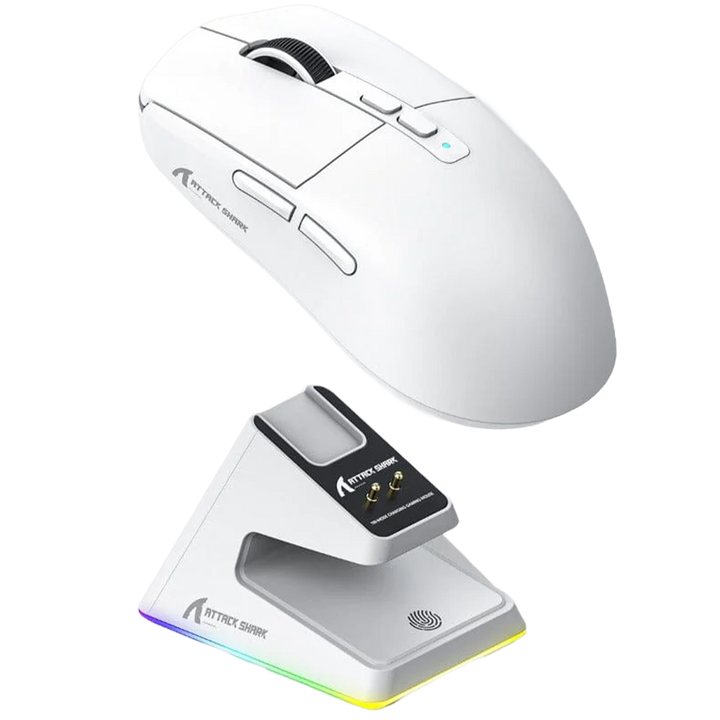
This collection currently lists 19 wireless models, drawn mainly from the Attack Shark, Ajazz, ATK, AULA and Asus ROG lines, and it is filtered automatically so a new wireless arrival appears here without waiting for anyone to add it. Every unit is genuine, carries 14-day cover against product defects, and is payable cash on delivery in Egyptian pounds. Ships in 48h - weekends may vary. Stock on the Attack Shark and ATK lines moves quickly, so treat the live listing rather than any guide as the accurate picture of what is on the shelf today.

Key terms, explained
2.4GHz dongle
The small USB receiver that gives the mouse its own private radio link rather than sharing the Bluetooth stack. It is the mode you play on, and it is the only one that behaves predictably under load. Lose it and most mice need a replacement receiver rather than a generic one.
Bluetooth LE
The low-energy Bluetooth mode used as the second wireless option on most mice here. It sips power and pairs with anything, but it groups its reports together to do so, which makes its input delay both higher and more variable than the dongle. Fine for a laptop, wrong for a match.
Dongle extender
A short USB extension cable or cradle that moves the receiver off the back of the case and onto the desk. It is the single most effective fix for stutter and dropouts, because it removes the metal and the distance between the radio and the mouse.
mAh
Milliamp hours, the size of the mouse's internal cell. On its own it tells you very little, because a large cell driven at the fastest report rate can easily last less time than a small cell on the standard setting. Read it alongside the mode you actually intend to use.
Sleep timer
How long the mouse stays fully awake after you stop moving it before dropping the radio into a power-saving state. A short timer saves battery and produces the small hesitation on first movement; a long timer removes the hesitation and costs runtime.
Motion Sync
A firmware option that aligns the sensor's readings with the moment the mouse sends its report, so the cursor path is smoother and more consistent. It adds a very small, fixed delay in exchange for that consistency. Some players prefer it on for tracking, others off for raw flicks - try both.
Passthrough charging
Being able to plug the mouse in and keep playing while it charges, rather than having to stop. Every wireless mouse here supports it, which is why a flat battery mid-session is recoverable.
Band congestion
Other devices crowding the same 2.4GHz space - wireless keyboards, phone chargers, USB 3 ports, wireless chargers and neighbouring routers. It shows up as brief cursor stutter rather than a total dropout, and moving the dongle usually clears it.
Paracord cable
A light, fabric-sleeved USB-C cable with very little memory, so it does not fight the mouse. It is the cable worth keeping on the desk for charge-and-play sessions, because the stiff cable supplied in the box was designed for charging alone.
FAQ
Is the 2.4GHz dongle really better than Bluetooth for gaming?

Yes, and the gap is not subtle. The dongle gives the mouse a private channel and a fixed report schedule, while Bluetooth shares a crowded band and groups reports together to save power. Use the dongle for games and keep Bluetooth for a laptop or a work machine.

How long does a wireless mouse battery actually last?

It depends almost entirely on the report rate you choose rather than on the size of the cell. On the standard setting most mice here comfortably run for days of normal use, and the fastest modes can cut that to a fraction. Lighting costs far less battery than the radio does.

Can I play while the mouse is charging?

Yes. Every wireless mouse in this collection works as a wired mouse the moment you plug the USB-C cable in, so a flat battery costs you a pause rather than an evening. The cable in the box is stiff because it was designed for charging, so a soft paracord cable is worth having if you do this often.

My wireless mouse stutters or skips. How do I fix it?

Nine times out of ten the receiver is in the wrong place. Move the dongle out of the back of the case and onto the desk with the supplied cradle or a short USB extension cable, within about a metre of the mouse. Keep it clear of USB 3 ports, unshielded hubs and wireless chargers, which all add noise on the same band.

Why does the first movement after a pause feel slow?

The mouse has dropped its radio into a power-saving state to protect the battery, and it needs a moment to come back up. It is normal and it is not a sensor fault. Most software lets you lengthen the idle timer or switch the deepest sleep stage off, which removes the effect and shortens runtime.

Can I use one dongle with two mice, or a spare dongle with my mouse?

Generally no. Receivers are paired to a specific mouse and usually to a specific model family, so a dongle from another brand will not work and often a dongle from another unit of the same model will not either. Treat the receiver as part of the mouse and keep it somewhere safe - many mice have a storage slot for it in the base.

Do I lose battery life by running the mouse at the highest report rate?

A great deal of it, because the radio has to wake and transmit many more times each second. The high modes are worth the cost only on a display fast enough to show the difference. If you are unsure, stay on the standard setting and spend the battery on a longer session instead.

Should I leave the mouse charging overnight every night?

It is better to top it up when it warns you than to keep it permanently on the cable. Lithium cells age faster when they are held at full charge, and these mice are quick to recharge, so a short top-up during a break is kinder to the battery than a nightly full cycle.

Will a wireless mouse work with a console or a Mac?

Over the dongle or Bluetooth it will work as an ordinary mouse wherever the system supports one, which covers macOS fully and consoles only where the game does. The configuration software is normally Windows-only, so set your sensitivity steps and button mapping on a PC first and let the mouse remember them.

How do I buy a wireless mouse in Egypt, and what about warranty?

Order from this collection and pay cash on delivery in Egyptian pounds, anywhere in Egypt. Ships in 48h - weekends may vary. Every unit is a genuine one with 14-day cover against product defects and genuine-unit verification, and support is available in Arabic and English.